
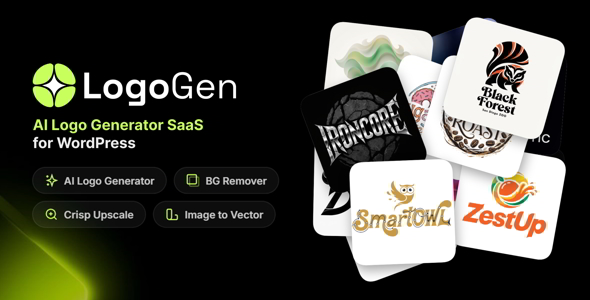
LogoGenAI SaaS is a complete AI-powered logo generation and image processing platform built as a WordPress plugin. Turn your WordPress site into a fully monetized SaaS business where users can generate professional logos, remove backgrounds, upscale images, and convert raster images to vector — all powered by cutting-edge AI models from OpenRouter and Recraft.
Whether you want to offer a free logo maker or build a premium subscription-based platform with Stripe payments, LogoGenAI gives you everything out of the box — a polished user dashboard, a powerful admin panel, a credit-based billing system, and 13+ configurable AI models.
Both licenses include the full AI engine, user dashboard, admin panel, and all image processing tools. The key difference is monetization.
Regular License ($49 — Lifetime)
Extended License ($199 — Lifetime, Most Popular)
In short: Choose Regular if you want a private logo generation tool for yourself or your team. Choose Extended if you want to build a business and charge users for subscriptions.
Q1: Do I need coding skills to set up LogoGenAI?
A1: No. LogoGenAI is a WordPress plugin with a visual admin panel. Install the plugin, enter your API keys, create your pricing plans, and click “Auto-Create Pages” — your platform is ready. No code required.
Q2: Which AI models are included?
A2: LogoGenAI ships with 13 OpenRouter models (including GPT-5 Image, Gemini, FLUX.2, Seedream, Riverflow) and 4 Recraft models (V4, V4 Vector, V4 Pro, V4 Pro Vector). You can enable or disable each model and set custom credit costs from the admin panel.
Q3: How does the credit system work?
A3: Every AI operation (logo generation, background removal, upscale, vectorization) costs a set number of credits. Each pricing plan includes a monthly credit allocation. When a user subscribes and pays, their credits auto-refill each billing cycle. You control how many credits each model costs.
Q4: Can I add my own AI models later?
A4: LogoGenAI supports all image-generation models available on OpenRouter. When new models are released, they can be added through the admin panel or via the Import/Export configuration system.
Q5: What payment methods are supported?
A5: LogoGenAI uses Stripe Checkout, which supports credit/debit cards, Apple Pay, Google Pay, and dozens of local payment methods depending on your region. Stripe handles all PCI compliance.
Q6: Can I offer free trials?
A6: Yes. Free trial days are configurable per plan. Stripe handles the trial period — users enter payment details but are not charged until the trial ends. Each user can only use one trial (enforced via user meta).
Q7: What happens if a payment fails?
A7: LogoGenAI listens for Stripe’s invoice.payment_failed webhook and handles it with a grace period. The subscription is not immediately cancelled, giving the user time to update their payment method.
Q8: Can I use this without selling subscriptions?
A8: Yes. The Regular License lets you run the platform without Stripe. You can manually assign credits to users from the admin panel — perfect for internal tools, agencies, or personal use.
Q9: Is the user dashboard responsive?
A9: Yes. The entire user dashboard is fully responsive and works on desktop, tablet, and mobile devices. It also supports light and dark mode.
Q10: Can I white-label the platform?
A10: You can upload your own logo, customize email templates, set the default theme, and brand the authentication pages. The user-facing experience carries your brand, not ours.
Q11: How do I get support?
A11: Open a ticket at modeltheme.com/support. We respond within 24 hours on business days. Your license includes 6 months of support, extendable at renewal.
Q12: Will I receive future updates?
A12: Yes. All licenses include lifetime updates. New AI models, features, and improvements are delivered through the standard WordPress update mechanism.
v1.0 — Initial Release
LogoGenAI SaaS is a complete AI-powered logo generation and image processing platform built as a WordPress plugin. Turn your WordPress site into a fully monetized SaaS business where users can generate professional logos, remove backgrounds, upscale images, and convert raster images to vector — all powered by cutting-edge AI models from OpenRouter and Recraft.
Whether you want to offer a free logo maker or build a premium subscription-based platform with Stripe payments, LogoGenAI gives you everything out of the box — a polished user dashboard, a powerful admin panel, a credit-based billing system, and 13+ configurable AI models.
Both licenses include the full AI engine, user dashboard, admin panel, and all image processing tools. The key difference is monetization.
Regular License ($49 — Lifetime)
Extended License ($199 — Lifetime, Most Popular)
In short: Choose Regular if you want a private logo generation tool for yourself or your team. Choose Extended if you want to build a business and charge users for subscriptions.
Q1: Do I need coding skills to set up LogoGenAI?
A1: No. LogoGenAI is a WordPress plugin with a visual admin panel. Install the plugin, enter your API keys, create your pricing plans, and click “Auto-Create Pages” — your platform is ready. No code required.
Q2: Which AI models are included?
A2: LogoGenAI ships with 13 OpenRouter models (including GPT-5 Image, Gemini, FLUX.2, Seedream, Riverflow) and 4 Recraft models (V4, V4 Vector, V4 Pro, V4 Pro Vector). You can enable or disable each model and set custom credit costs from the admin panel.
Q3: How does the credit system work?
A3: Every AI operation (logo generation, background removal, upscale, vectorization) costs a set number of credits. Each pricing plan includes a monthly credit allocation. When a user subscribes and pays, their credits auto-refill each billing cycle. You control how many credits each model costs.
Q4: Can I add my own AI models later?
A4: LogoGenAI supports all image-generation models available on OpenRouter. When new models are released, they can be added through the admin panel or via the Import/Export configuration system.
Q5: What payment methods are supported?
A5: LogoGenAI uses Stripe Checkout, which supports credit/debit cards, Apple Pay, Google Pay, and dozens of local payment methods depending on your region. Stripe handles all PCI compliance.
Q6: Can I offer free trials?
A6: Yes. Free trial days are configurable per plan. Stripe handles the trial period — users enter payment details but are not charged until the trial ends. Each user can only use one trial (enforced via user meta).
Q7: What happens if a payment fails?
A7: LogoGenAI listens for Stripe’s invoice.payment_failed webhook and handles it with a grace period. The subscription is not immediately cancelled, giving the user time to update their payment method.
Q8: Can I use this without selling subscriptions?
A8: Yes. The Regular License lets you run the platform without Stripe. You can manually assign credits to users from the admin panel — perfect for internal tools, agencies, or personal use.
Q9: Is the user dashboard responsive?
A9: Yes. The entire user dashboard is fully responsive and works on desktop, tablet, and mobile devices. It also supports light and dark mode.
Q10: Can I white-label the platform?
A10: You can upload your own logo, customize email templates, set the default theme, and brand the authentication pages. The user-facing experience carries your brand, not ours.
Q11: How do I get support?
A11: Open a ticket at modeltheme.com/support. We respond within 24 hours on business days. Your license includes 6 months of support, extendable at renewal.
Q12: Will I receive future updates?
A12: Yes. All licenses include lifetime updates. New AI models, features, and improvements are delivered through the standard WordPress update mechanism.
v1.0 — Initial Release

¡Obtén acceso instantáneo a tas las descargas exclusivas! 😎 Con una suscripción mensual de solo $16.50/USD. ¡No te pierdas esta oportunidad! Regístrate ahora y comienza a descargar todo lo que necesitas para llevar tu proyecto al siguiente nivel. 💪