
Nota: asegúrese de realizar una copia de seguridad de su sitio web, incluida la base de datos, antes de actualizar el complemento a la última versión.
¿Necesita diferentes etiquetas con diferentes conjuntos de menús desplegables? Mira este: https://codecanyon.net/item/wpce-woocommerce-parts-compatibility-editor/24115209
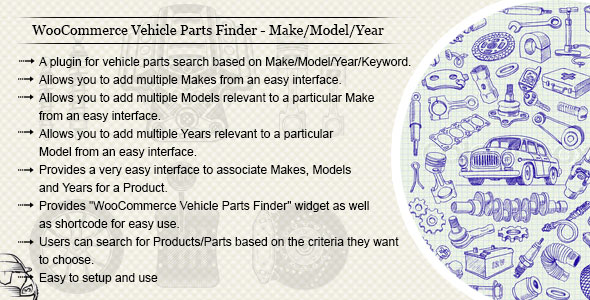
“Buscador de piezas de vehículos de WooCommerce: marca/modelo/año/motor/categoría/palabra clave” es uno de los mejores complementos para buscar vehículos o piezas de vehículos en el sitio web según la marca/modelo/año/motor/categoría/palabra clave. El complemento proporciona una interfaz muy fácil de usar para el administrador. El administrador puede agregar un widget de filtro en cualquier parte del sitio web utilizando la sección de widgets o el código corto.
Nota: recuerde hacer una copia de seguridad de su base de datos antes de actualizar el complemento o importar un archivo CSV.
http://wc.wpinstinct.com/documentation/
= 3.8 =
* Fixed: Applied patches as per PatchStack guidelines

= 3.7 =
* Fixed: PHP 8.x warnings, errors and deprecated functions/scripts
* Fixed: JavaScript warnings

= 3.6 =
* Fixed: Compatibility issues with the latest version of PHP, WordPress and WooCommerce
* Fixed: PHP 8.x warnings, errors and deprecated functions/scripts
* Fixed: JavaScript warnings

= 3.5 =
* Fixed: Compatibility issues with the latest version of PHP, WordPress and WooCommerce
* Fixed: PHP 8.x warnings, errors and deprecated functions/scripts
* Fixed: JavaScript warnings
* Fixed: Dropdowns to use dynamic labels
* Added: Product tab terms list to load via AJAX which speeds up the initial loading for product details page

= 3.4 =
* Fixed compatibility issues with latest version of WordPress and WooCommerce
* Fixed PHP 7.x conflicts/warnings
* Fixed few CSS tweaks

= 3.3 =
* Tested with latest version of WordPress/WooCommerce
* Fixed range support issue in new CSV importer
* Fixed comma support issue in new CSV importer

= 3.2 =
* Added a progress bar UI to CSV Importer
* Improved slow loading "Edit Product" page issue
* Added a shortcode for product terms list
* Fixed non-showing associated terms on "Edit Product" page

= 3.1 =
* Fixed conflicts with latest version of WordPress/WooCommerce
* Added option to show/hide empty terms in dropdown

= 3.0 =
* Replaced Session with Cookies as per WordPress guidelines
* Removed empty categories and fixed categories count on search results page
* Fixed few styling issues in backend eg: Multi Select boxes
* Fixed search to work with all themes using pre_get_posts
* Fixed product edit screen to show associated VPF terms ( Had a conflict before with few themes )
* VPF TERMS "Ajaxify meta box" to add new row on top, no more at the bottom of section
* Fixed "slow loading terms in dropdown" issue while having empty terms in database
* Fixed import issue while having same SKU associated to multiple products
* Fixed WooCommerce Breadcrumbs while on search results page
* Fixed PHP 7.x Conflicts eg: Universal Products, Warnings

= 2.9 =
* Fixed 'Page Not Found' issue while view models in dashboard
* Added few new filters eg: woo_vpf_filter_form_action, woo_vpf_filter_posts_priority, woo_vpf_filter_posts_where_priority ..
* Fixed few PHP warnings ( Undefined index: year, implode(): Invalid arguments passed - $user_search )
* Removed WooCommerce deprecated scripts
* Tested with latest version of WordPress/WooCommerce
* Fixed JS to work even if page loads through JS/AJAX
* Fixed duplicating product not duplicating VPF terms relations issue
* Added security checks for PCI compiler
* Disabled empty terms on front end dropdowns
* Fixed error in case if WooCommerce is not active

= 2.8 =
* Updated jQuery Chosen library
* Fixed duplicate VPF Terms issue while duplicates product
* Added Accordion to Plugin Settings Panel
* Added custom filter to sort/manage terms according to your need in product custom tab
* Fixed few mis-typed filters/hooks
* Fixed few options so that you can leave them blank eg: "Saved Vehicles - No Items", "Vehicles History - No Items"
* Fixed "My Vehicles" widget so it auto hides when clicking outside of widget

= 2.7 =
* Fixed PHP 7.x conflicts/warnings
* Fixed undefined variable warnings
* Fixed conflict with WooCommerce Layered Nav filter widget
* Fixed conflict with get_search_query
* Fixed WPML search conflict
* Fixed invalid/large Year Range issue so max 100 years per range
* Fixed wrong year ranges issue in custom tab on product details screen
* Fixed CSV import issue with term name having "&"
* Fixed few typo with plugin filters
* Added esc_scl with queried keyword
* Changed VPF Term Labels in admin baed on saved settings
* Updated jQuery libraries

= 2.6 =
* Fixed PHP 7.x Conflicts eg: Universal Products, Warnings
* Fixed few PHP warnings ( undefined $show_keyword )
* Fixed WPML conflicts ( Added lang param in URL for search result page )
* Fixed template redirection option
* Added option for years sort order
* Fixed/Updated few designing aspects on settings page

= 2.5 =
* Fixed WPML conflicts
* Fixed Search Page Title
* Added RESET SEARCH feature
* Added few more valuable settings ( eg: Categories to Include )
* Fixed conflicts while deleting terms
* Added "Universal Product" option in products quick/bulk/edit screen
* Fixed search results Page to show products always and no more search query var ('s') is mandatory in URL

= 2.4 =
* Added MY VEHICLES widget
* Added option to disable VPF terms selector metabox for specific products
* Added support to show/hide Years filter
* Added option to restrict WooCommerce Catalog to show only user searched criteria matching products whole over the website
* Added option to redirect to product details page if single search result
* Added option to delete product assigned terms in single click on product edit page
* Added option to show year ranges over individual row per year in custom tab
* Fixed duplicating product not duplicating VPF terms relations issue
* Improved products loading speed with few more test cases
* Improved metabox layout for add/delete icons on product add/edit screen

= 2.3 =
* Added option to delete all the terms in single click
* Added SKU compatibility along with product slug with "item_product" column in importable CSV
* Added Screen Options to set number of terms per page
* Fixed speed issue conflict with Yoast SEO Plugin
* Fixed error with MultiSite in case if WooCommerce is not active
* Fixed search results page to show products template and not category archive
* Fixed JS to work even if page loads through JS/AJAX
* Fixed year column space issue in CSV while uploading in ranges
* Fixed plugin admin menu role capabilities so that can be accessed by WooCommerce Shop Manager as well
* Fixed admin terms drop down list to leave blank rather than loading Makes in all the drop downs first time
* Improved HTML/PHP code snippets
* Improved products loading speed with few test cases

= 2.2 =
* Changed the code to more optimized way for reuse and maintainability
* Fixed tweaks with CSV importer tool
* Fixed search results not to include products from child terms
* Fixed error in case if WooCommerce is not active
* Fixed terms to list by name
* Added option to disable next dropdowns until one choose current

= 2.1 =
* Fixed "no terms list" issue on edit product page

= 2.0 =
* Fixed the importer to handle heavy data
* Faster the importer
* Added range support to columns with importer CSV
* Added an individual admin menu for plugin
* Added few more settings

= 1.9 =
* Added option to enable validations for filter fields
* Added multiple admin interface for assigning Makes/Models/Years/Engines to products
* Changed the admin interface for listing Makes/Models/Years/Engines
* Added option to separate CSV Make/Model/Year/Engine/Product columns by comma (,)

= 1.8 =
* Fixed the taxonomy (Makes/Models/Years/Engines) hierarchy issues on product edit screen
* Added option to enable jquery tree for taxonomies list on product add/edit screen to manage heavy data more easily
* Added more filter hooks to filter arguments for get lists on front end

= 1.7 =
* Fixed few spelling mistakes / grammer issues
* Added one more depth level for Engines along with Makes/Models/Years
* Added individual settings page for VPF
* Added additional tab on product details page (can be enabled/disabled from settings page)
* Added one more column "item_product" in CSV import tool to create product/terms relation at the same time while importing terms
* Added option of jQuery Chosen extension to enable/disable for the plugin

= 1.6 =
* Updated importable CSV columns with more easier format
* Fixed few warnings/notices

= 1.5 =
* Added option to show/hide keyword field
* Added category filter
* Fixed search page title
* Added view modes: Horizontal and Vertical

= 1.4 =
* Added search page title

= 1.3 =
* Added Makes/Models/Years import feature
* Added custom js hooks

= 1.2 =
* Validate requested terms before showing results so that one don't change the terms from URL directly

= 1.1 =
* Fixed search results page to load WooCommerce archive template

= 1.0 =
* Launched the initial version of the plugin
Nota: asegúrese de realizar una copia de seguridad de su sitio web, incluida la base de datos, antes de actualizar el complemento a la última versión.
¿Necesita diferentes etiquetas con diferentes conjuntos de menús desplegables? Mira este: https://codecanyon.net/item/wpce-woocommerce-parts-compatibility-editor/24115209
“Buscador de piezas de vehículos de WooCommerce: marca/modelo/año/motor/categoría/palabra clave” es uno de los mejores complementos para buscar vehículos o piezas de vehículos en el sitio web según la marca/modelo/año/motor/categoría/palabra clave. El complemento proporciona una interfaz muy fácil de usar para el administrador. El administrador puede agregar un widget de filtro en cualquier parte del sitio web utilizando la sección de widgets o el código corto.
Nota: recuerde hacer una copia de seguridad de su base de datos antes de actualizar el complemento o importar un archivo CSV.
http://wc.wpinstinct.com/documentation/
= 3.8 =
* Fixed: Applied patches as per PatchStack guidelines

= 3.7 =
* Fixed: PHP 8.x warnings, errors and deprecated functions/scripts
* Fixed: JavaScript warnings

= 3.6 =
* Fixed: Compatibility issues with the latest version of PHP, WordPress and WooCommerce
* Fixed: PHP 8.x warnings, errors and deprecated functions/scripts
* Fixed: JavaScript warnings

= 3.5 =
* Fixed: Compatibility issues with the latest version of PHP, WordPress and WooCommerce
* Fixed: PHP 8.x warnings, errors and deprecated functions/scripts
* Fixed: JavaScript warnings
* Fixed: Dropdowns to use dynamic labels
* Added: Product tab terms list to load via AJAX which speeds up the initial loading for product details page

= 3.4 =
* Fixed compatibility issues with latest version of WordPress and WooCommerce
* Fixed PHP 7.x conflicts/warnings
* Fixed few CSS tweaks

= 3.3 =
* Tested with latest version of WordPress/WooCommerce
* Fixed range support issue in new CSV importer
* Fixed comma support issue in new CSV importer

= 3.2 =
* Added a progress bar UI to CSV Importer
* Improved slow loading "Edit Product" page issue
* Added a shortcode for product terms list
* Fixed non-showing associated terms on "Edit Product" page

= 3.1 =
* Fixed conflicts with latest version of WordPress/WooCommerce
* Added option to show/hide empty terms in dropdown

= 3.0 =
* Replaced Session with Cookies as per WordPress guidelines
* Removed empty categories and fixed categories count on search results page
* Fixed few styling issues in backend eg: Multi Select boxes
* Fixed search to work with all themes using pre_get_posts
* Fixed product edit screen to show associated VPF terms ( Had a conflict before with few themes )
* VPF TERMS "Ajaxify meta box" to add new row on top, no more at the bottom of section
* Fixed "slow loading terms in dropdown" issue while having empty terms in database
* Fixed import issue while having same SKU associated to multiple products
* Fixed WooCommerce Breadcrumbs while on search results page
* Fixed PHP 7.x Conflicts eg: Universal Products, Warnings

= 2.9 =
* Fixed 'Page Not Found' issue while view models in dashboard
* Added few new filters eg: woo_vpf_filter_form_action, woo_vpf_filter_posts_priority, woo_vpf_filter_posts_where_priority ..
* Fixed few PHP warnings ( Undefined index: year, implode(): Invalid arguments passed - $user_search )
* Removed WooCommerce deprecated scripts
* Tested with latest version of WordPress/WooCommerce
* Fixed JS to work even if page loads through JS/AJAX
* Fixed duplicating product not duplicating VPF terms relations issue
* Added security checks for PCI compiler
* Disabled empty terms on front end dropdowns
* Fixed error in case if WooCommerce is not active

= 2.8 =
* Updated jQuery Chosen library
* Fixed duplicate VPF Terms issue while duplicates product
* Added Accordion to Plugin Settings Panel
* Added custom filter to sort/manage terms according to your need in product custom tab
* Fixed few mis-typed filters/hooks
* Fixed few options so that you can leave them blank eg: "Saved Vehicles - No Items", "Vehicles History - No Items"
* Fixed "My Vehicles" widget so it auto hides when clicking outside of widget

= 2.7 =
* Fixed PHP 7.x conflicts/warnings
* Fixed undefined variable warnings
* Fixed conflict with WooCommerce Layered Nav filter widget
* Fixed conflict with get_search_query
* Fixed WPML search conflict
* Fixed invalid/large Year Range issue so max 100 years per range
* Fixed wrong year ranges issue in custom tab on product details screen
* Fixed CSV import issue with term name having "&"
* Fixed few typo with plugin filters
* Added esc_scl with queried keyword
* Changed VPF Term Labels in admin baed on saved settings
* Updated jQuery libraries

= 2.6 =
* Fixed PHP 7.x Conflicts eg: Universal Products, Warnings
* Fixed few PHP warnings ( undefined $show_keyword )
* Fixed WPML conflicts ( Added lang param in URL for search result page )
* Fixed template redirection option
* Added option for years sort order
* Fixed/Updated few designing aspects on settings page

= 2.5 =
* Fixed WPML conflicts
* Fixed Search Page Title
* Added RESET SEARCH feature
* Added few more valuable settings ( eg: Categories to Include )
* Fixed conflicts while deleting terms
* Added "Universal Product" option in products quick/bulk/edit screen
* Fixed search results Page to show products always and no more search query var ('s') is mandatory in URL

= 2.4 =
* Added MY VEHICLES widget
* Added option to disable VPF terms selector metabox for specific products
* Added support to show/hide Years filter
* Added option to restrict WooCommerce Catalog to show only user searched criteria matching products whole over the website
* Added option to redirect to product details page if single search result
* Added option to delete product assigned terms in single click on product edit page
* Added option to show year ranges over individual row per year in custom tab
* Fixed duplicating product not duplicating VPF terms relations issue
* Improved products loading speed with few more test cases
* Improved metabox layout for add/delete icons on product add/edit screen

= 2.3 =
* Added option to delete all the terms in single click
* Added SKU compatibility along with product slug with "item_product" column in importable CSV
* Added Screen Options to set number of terms per page
* Fixed speed issue conflict with Yoast SEO Plugin
* Fixed error with MultiSite in case if WooCommerce is not active
* Fixed search results page to show products template and not category archive
* Fixed JS to work even if page loads through JS/AJAX
* Fixed year column space issue in CSV while uploading in ranges
* Fixed plugin admin menu role capabilities so that can be accessed by WooCommerce Shop Manager as well
* Fixed admin terms drop down list to leave blank rather than loading Makes in all the drop downs first time
* Improved HTML/PHP code snippets
* Improved products loading speed with few test cases

= 2.2 =
* Changed the code to more optimized way for reuse and maintainability
* Fixed tweaks with CSV importer tool
* Fixed search results not to include products from child terms
* Fixed error in case if WooCommerce is not active
* Fixed terms to list by name
* Added option to disable next dropdowns until one choose current

= 2.1 =
* Fixed "no terms list" issue on edit product page

= 2.0 =
* Fixed the importer to handle heavy data
* Faster the importer
* Added range support to columns with importer CSV
* Added an individual admin menu for plugin
* Added few more settings

= 1.9 =
* Added option to enable validations for filter fields
* Added multiple admin interface for assigning Makes/Models/Years/Engines to products
* Changed the admin interface for listing Makes/Models/Years/Engines
* Added option to separate CSV Make/Model/Year/Engine/Product columns by comma (,)

= 1.8 =
* Fixed the taxonomy (Makes/Models/Years/Engines) hierarchy issues on product edit screen
* Added option to enable jquery tree for taxonomies list on product add/edit screen to manage heavy data more easily
* Added more filter hooks to filter arguments for get lists on front end

= 1.7 =
* Fixed few spelling mistakes / grammer issues
* Added one more depth level for Engines along with Makes/Models/Years
* Added individual settings page for VPF
* Added additional tab on product details page (can be enabled/disabled from settings page)
* Added one more column "item_product" in CSV import tool to create product/terms relation at the same time while importing terms
* Added option of jQuery Chosen extension to enable/disable for the plugin

= 1.6 =
* Updated importable CSV columns with more easier format
* Fixed few warnings/notices

= 1.5 =
* Added option to show/hide keyword field
* Added category filter
* Fixed search page title
* Added view modes: Horizontal and Vertical

= 1.4 =
* Added search page title

= 1.3 =
* Added Makes/Models/Years import feature
* Added custom js hooks

= 1.2 =
* Validate requested terms before showing results so that one don't change the terms from URL directly

= 1.1 =
* Fixed search results page to load WooCommerce archive template

= 1.0 =
* Launched the initial version of the plugin
¡Obtén acceso instantáneo a tas las descargas exclusivas! 😎 Con una suscripción mensual de solo $16.50/USD. ¡No te pierdas esta oportunidad! Regístrate ahora y comienza a descargar todo lo que necesitas para llevar tu proyecto al siguiente nivel. 💪
