
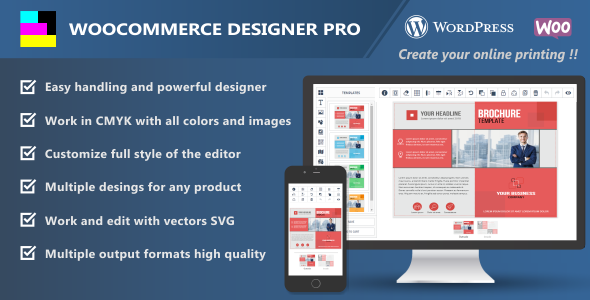
Seleccione el espacio de trabajo CMYK o RGB con un solo clic. Convierta imágenes cargadas, incluidos vectores SVG, en CMYK automáticamente.
Añade múltiples diseños en la sección de plantillas y ayuda a tus clientes a elegir y diseñar de una forma más cómoda.
Personaliza el estilo completo del editor con los colores de tu sitio.
Agregue una variedad de imágenes prediseñadas organizadas por categorías para que sus clientes puedan encontrar y personalizar fácilmente sus productos. Las categorías se pueden adjuntar individualmente en los parámetros a mostrar según la temática de los diseños.
Agregar un código QR al diseño es un fácil acceso a la información desde un teléfono inteligente y, por lo tanto, una gran herramienta para los profesionales del marketing.
Cambia los colores de los vectores de forma rápida y sencilla.
Cree diseños rápida y fácilmente agrupando y desagrupando SVG.
Permite a sus clientes agregar un mapa a sus tarjetas de presentación o folletos y tener una publicidad más eficiente de su comercio.
Añade a las imágenes una capa de máscara con textos, imágenes prediseñadas o formas.
Woocommerce Designer Pro tiene muchas formas de alinear objetos. Puedes alinear con grilla y al mover las capas se ajustarán a las guías, verticalmente con más o menos espacio, muy útil para textos, o alinear capas entre sí.
Puedes añadir formas a tus diseños y hacer ofertas con círculos o estrellas, resaltar textos o imágenes dentro de cuadrados, etc.
Texto curvo, inverso, arqueado, de pequeño a grande, de grande a pequeño y abultado.
Añade imágenes de calendarios por categorías, ideal para tarjetas de visita. Las categorías se pueden adjuntar individualmente en los parámetros a mostrar según la temática de los diseños.
Woocommerce Designer Pro puede realizar múltiples transformaciones, como mover, cambiar el tamaño, rotar, sesgar y voltear cualquier texto, forma o clipart.
Gestiona capas de forma sencilla. Puede identificar rápidamente la capa por la imagen o el icono, establecer el nombre, ordenar, bloquear, desbloquear o eliminar.
Permite a sus clientes guardar y descargar sus diseños fácilmente y administrarlos desde el editor. También puede desactivar la opción para descargar los diseños desde la configuración del complemento.
Recorta tus imágenes fácilmente al tamaño exacto que desees.
Selección de filtros para que tus clientes puedan ajustar fácilmente sus fotografías.
Sus clientes pueden administrar sus diseños guardados desde una página que usted elija en la configuración del complemento.
Puede ajustar la altura y el ancho del área de sangrado, cambiar el color y también establecer el radio.
100% compatible con las variaciones de woocommerce.
Seleccione entre más de 800 fuentes de Google o agregue archivos de fuentes personalizados al editor para que sus clientes puedan personalizar los textos. Archivos personalizados compatibles TTF, EOT, WOFF, WOFF2.
Personalice las paletas agregando o eliminando colores para que sus clientes los usen en textos, formas, vectores y fondos.
Agregue una marca de agua cuando sus clientes descarguen diseños para protegerlos de copias no autorizadas.
Configura las dimensiones de los archivos de salida y genera los formatos JPG, PNG, SVG, PDF, JSON y CMYK 300DPI en alta resolución.
Seleccionar y borrar todo, cuadrícula, alinear y voltear vertical y horizontalmente, rotar, traer al frente, enviar atrás, bloquear y agrupar capas, duplicar, deshacer, rehacer y obtener una vista previa del diseño.
La velocidad para diseñar es importante, woocommerce designer pro tiene muchos atajos de teclado para que tú y tus clientes ahorren tiempo al diseñar y estén mucho más cómodos. Puedes personalizar los atajos de teclado con las combinaciones que quieras.
WooCommerce Designer Pro es compatible con el complemento WPML y se puede traducir fácilmente a cualquier idioma del mundo.
PHP ImageMagick Extension only if the workspace is used in CMYK.
Versión 1.9.33 – Publicada: 21 de diciembre de 2025
    - Added support for WordPress 6.9.x.
    - Added support for WooCommerce 10.4.x.
    - Patched: Arbitrary File Deletion vulnerability.
    - Improved the code for saving the output files.
    - Fixed: Minor bugs.
Versión 1.9.32 – Publicada: 16 de noviembre de 2025
- Fixed: Enable JSON file upload when saving designs from the admin panel.
Versión 1.9.31 – Publicada: 6 de noviembre de 2025
    - Added support for WooCommerce 10.3.x.
    - Patched: Arbitrary File Upload vulnerability.
    - Fixed: Escaping translation strings safely.
    - Fixed: Removed vulnerable jquery library from the user manual.
    - Fixed: Minor bugs.
    - Updated: Language file.
Versión 1.9.24 – Publicada: 21 de febrero de 2021
    - Added new actions in the attribute actions tab: Canvas width & height, Canvas output width, PDF output width & height.
    - Fixed: Several no important editor bugs.
    - Updated: User manual & language file.
Versión 1.9.23 – Publicada: 13 de diciembre de 2020
    - Added support for WordPress 5.6.
    - Fixed: The product is not correctly added to the cart with custom attributes and different slugs.
    - Fixed: Several no important style bugs.
Versión 1.9.22 – Publicada: 22 de septiembre de 2020
    - Added support for WooCommerce 4.5.x.
    - Fixed: Minor bugs.
Versión 1.9.21 – Publicada: 25 de mayo de 2020
    - Added new action in the attribute actions tab: Show product sides.
    - Added new option in style settings: Enable / Disable auto snap mode.
    - Added options in the style settings: Auto snap tolerance and color of the guides.
    - Added a option to set the design title to users in the editor.
    - Added new button to the my designs page that allows users to change the design title.
    - Added a option in the parameters that allows you to hide background color of design when generating the output files.
    - Fixed: "Layout type radio checkbox" attribute values show the slug when added with created taxonomies.
    - Fixed: When updating the product, new changes to attribute actions are not saved correctly.
    - Fixed: When using the quick edit option on parameters and products, the set values are cleared.
    - Fixed: Fonts in grouped text were not embedded in the PDF output.
    - Fixed: When a group is duplicated from side to side the objects are added backwards.
    - Fixed: The link of custom products is not correct with simple permalink structure setting.
    - Fixed: Users cannot upload images to the editor with the extension in capital letters.
    - Fixed: In IE browser, position of the page is jumping from bottom to center in big designs.
    - Fixed: The coordinates are not correct when aligning rotated objects.
    - Fixed: The coordinates are not correct when scaling objects with zoom.
    - Fixed: New session cannot be started with registered users on some servers.
    - Fixed: Several no important style bugs.
    - Check: Add to cart with CMYK enabled when ImageMagick is not installed on the server to avoid crashes.
    - Updated: Business card demo with new action "Show product sides".
    - Updated: User manual & language file.
Versión 1.9.18 – Publicada: 27 de enero de 2020
    - Updated: New API Envato https://build.envato.com.
    - Changed: API Key by Token Key in the license settings.
    - Added new option in style settings: Enable / Disable display color of the light bleed area on dark backgrounds.
    - Fixed: The coords are not correct when loading templates with the "Load only template objects" option on mobile devices.
    - Updated: User manual.
Versión 1.9.17 – Publicada: 03 de enero de 2020
    - Added new tab in the docs section: Demos with automatic installer.
    - Added new tab in the product data: Set attribute actions.
    - Added new layouts in the attribute actions tab: Product colors and radio checkbox.
    - Added new option in custom product: Load only template objects.
    - Added a option in the parameters that allows you auto hide bleed area when there is no object selected in the editor.
    - Added a option in the parameters that allows you clipping and hide the objects outside the bleed area.
    - Added two options in the parameters that allows you set top and left position of border bleed area.
    - Added new option in style settings: Enable / Disable corners outside the object's controlling box.
    - Added new option in style settings: Hide the middle scaling corners of object's controlling box.
    - Added new option in style settings: Padding between object and its controlling borders.
    - The selected variations are now attached when saving the designs.
    - By adding new designs now the default canvas color is transparent.
    - Improved editor style with many important changes.
    - Changed: Object alignments are now set inside the bleed area.
    - Fixed: Custom fonts with curved text were not embedded in the SVG output.
    - Fixed: When selecting the options on the product page, the attributes are not sent sanitized to the editor.
    - Fixed: The coords are not correct when adding SVG to the editor with zoom below 100%.
    - Updated: User manual & language file.
Versión 1.9.12 – Publicada: 16 de octubre de 2019
    - Added support for resource: Flaticon.
    - Added new option in general settings: Add Flaticon icons to the canvas in SVG format.
    - Added the Masonry grid layout library for the resources images.
    - Added new option in general settings: RTL right to left reading mode.
    - Added a option in the parameters that allows you to capture only the inside of the bleed area in the output file.
    - Added new option in general settings: Preload fonts unicode with Arabic or Latin extended alphabet.
    - Added a prevention in the pop-up preview when scrolling the thumbnails.
    - Fixed: The size of the svg output image is not correct on mobile devices.
    - Fixed: The outline is not added correctly in curved texts.
    - Openclipart resource was removed because it is no longer active.
    - Updated: New icons have been added to the wcdp-sprites font.
    - Updated: User manual & language file.
Versión 1.9.11 – Publicada: 10 de septiembre de 2019
    - Added a option in style settings to select 5 new predesigned skin colors.
    - Added new icons and style in the object's control corners.
    - Added options in the object's control corners: Duplicate, rotate, delete and scale.
    - Added new option in style settings: Enable / disable to add borders the object's control corners.
    - Added a option in style settings that allows you to change the color of the borders the object's control corners.
    - Added a option in style settings that allows you to change the color of the icons the object's control corners.
    - Added the jQuery custom content scroller library and the editor scrollbars were changed.
    - Added a option in style settings that allows you change the color of the scrollbars.
    - Improved editor style with many important changes.
    - Fixed: Search images in the cliparts tab are not added to the canvas.
    - Updated: New icons have been added to the wcdp-sprites font.
    - Updated: User manual & language file.
Versión 1.9.10 – Publicada: 5 de agosto de 2019
    - Added new option in general settings: Set number of designs the user can save.
    - Added a option in the parameters that allows you to stretch the output image to the PDF size automatically.
    - Added thumbnails in JPG, PNG, GIF formats for the clipart categories in the editor.
    - Fixed: Google fonts in TTF format with "HTTPS" protocol cannot be imported to generate in PDF output with SVG.
    - Fixed: Background color is not generated in PDF output with SVG.
    - Fixed: Several no important style bugs.
    - Updated: User manual & language file.
Versión 1.9.9 – Publicada: 21 de julio de 2019
    - Check: Change svg image with fill patterns to jpg when the export of the pdf with svg crashes.
    - Fixed: The names of sides in CMYK are not generated correctly when sending form ajax to save files.
    - Fixed: The images added in the background or overlay in the pdf with svg export is not generated correctly.
    - Fixed: The images added in the background or overlay in the svg export is not generated correctly.
Versión 1.9.8 – Publicada: 20 de julio de 2019
- Fixed: The scale the output image in the PDF is incorrect.
Versión 1.9.7 – Publicada: 20 de julio de 2019
    - Added new option in general settings: Output PDF with SVG.
    - Added new option in general settings: Enable / disable output CMYK to the user.
    - Added the JSZip library, the PHP Zip extension is no longer necessary.
    - Added a option in the parameters that allows you to scale the output image in the PDF.
    - Added temp folder in uploads for images and temporary files.
    - Improved the export of svg with stroke and fill transparent colors.
    - The user downloads are now direct and are not saved on the server.
    - The TCPDF library has been replaced by PDFKit.
    - The PHP GD extension is no longer needed to add the watermark in the designs.
    - Fixed: The letter spacing in the svg export is not generated correctly.
    - Fixed: The size of the svg output image is not correct.
    - Fixed: When adding the product to the cart the attributes show the Slug.
    - Fixed: The link to the editor with multiple translations is not generated correctly.
    - Fixed: Several no important editor bugs.
    - Updated: User manual & language file.
Versión 1.9.6 – Publicada: 29 de marzo de 2019
    - Added new function Mask layer.
    - Added new toolbar for the options of the images.
    - Added a option in the parameters that allows you to enable / disable the user, the mask layer option.
    - Added new options in the parameters that allows you to add all calendars categories or cliparts.
    - Added new options in the parameters that allows you to set the default sizes in images, shape and codes QR.
    - Added new option in general settings: Enable / disable download designs only to user logged.
    - Added new option in general settings: Enable / disable SVG image uploads to the user.
    - Fixed: The editor crashes when you open the color picker with iPhone mobiles.
    - Fixed: Axis point for texts does not work with font size and font family select.
    - Fixed: Undefined function array_column() with PHP version 5.4.
    - Fixed: Several no important editor bugs.
    - Updated: User manual & language file.
Versión 1.9.5 – Lanzada: 09 de febrero de 2019
    - Added new option for admin in the layers tab: Allows you to lock / unlock layers the user.
    - Added new option for admin in the layers tab: Allows you to hide layers in the output files.
    - Added new option in general settings: Download design in the order for user.
    - Added axis point for texts with alignments from left to center or right.
    - Added new function for admin to add or extract images or svg from the overlay.
    - Added a option in the parameters that allows you to hide overlay image of design when generating the output files.
    - Added new option in the parameters: Radius bleed area. The "Editor corners rounded" option is now independent.
    - Added gray background to the thumbnails of the layers with white color.
    - Added a option in style settings that allows you to hide note boxes.
    - Fixed: The thumbnails of the layers are not generated correctly when change zoom in the editor.
    - Fixed: Option "Hide background image in the output files" is also hidden with the preview.
    - Fixed: The template search does not find designs with complete words.
    - Fixed: The design is not added in the order with unregistered users.
    - Fixed: Several no important editor bugs.
    - Updated: User manual & language file.
Versión 1.9.4 – Publicada: 19 de enero de 2019
    - Added new tab in the editor: Manage layers.
    - Added a option in the parameters that allows you to enable / disable the section of manage layers.
    - Added new section in the admin: Design categories.
    - Added new option in custom product: Add designs to the templates section by categories.
    - Added new option to search for templates in the editor.
    - Added an option in the parameters that allows you to hide background image of design when generating the output files.
    - Added new option in general settings: Add link to email for download the design after change order status to completed.
    - Added new option in general settings: Hide add to cart button in the editor.
    - Fixed: The design is not added in the order pending payment.
    - Fixed: Unable to activate plugin with PHP version 5.4.
    - Updated: User manual & language file.
Versión 1.9.3 – Publicada: 6 de diciembre de 2018
    - Added support for designs with different parameters in the same product.
    - Added new option in custom product: Load parameters by Ajax query.
    - Added new option in general settings: Enable / disable the output CMYK in the admin download.
    - Fixed: "Request Entity Too Large" on servers with Ajax limitations.
    - Fixed: When adding a new design it does not load the editor with some themes.
    - Fixed: When the browser zoom is changed, the toolbar shakes.
    - Updated: User manual & language file.
Versión 1.9.2 – Publicada: 13 de noviembre de 2018
    - Added new functions: Group and ungroup SVG & Shapes, from the toolbar.
    - Added a option in the parameters that allows you to enable / disable the user, group and ungroup SVG.
    - Added new functions: Stroke width and color for SVG grouped and ungrouped.
    - Improved multicolor function, transparent colors were also added in the fill and stroke of the SVG.
    - Added new filters for images and improved the style of selection.
    - Added new section in the admin: Manage image filters, to enable or disable the filters.
    - Fixed: When selecting the options on the product page, the attributes are not sent to editor.
    - Fixed: Activated option sold individually product, does not hide quantity button in the editor.
    - Fixed: Changing the side by editing a text, overwrites the design.
    - Fixed: Duplicate side to side multiple layers cloned backwards.
    - Fixed: Scaling a group of objects the transform is wrong.
    - Fixed: Simple product price set to 0 can not be added to the cart.
    - Fixed: Can not find the translation strings with plugin Loco Translate.
    - Fixed: Several no important style bugs.
    - Updated: User manual & language file.
Versión 1.9.1 – Publicada: 24 de septiembre de 2018
    - Added support for resources: Pixabay, Unsplash, Pexels, Openclipart.
    - Added new option in general settings: Convert images of resources in CMYK before adding it to the canvas.
    - Added new options in general settings: Output PNG & Add PNG to the user downloads.
    - Added new status tab in the docs section, to check and help with possible errors.
    - Improved zip compression system, faster when downloading designs and adding to cart.
    - Fixed: Designs with default parameter "Warning: Division by zero".
    - Updated: User manual & language file.
Versión 1.9.0 – Publicada: 26 de agosto de 2018
    - Added pop-up for preview the thumbnails.
    - Added a option in style settings  that allows you to enable / disable pop-up of the thumbnails.
    - Added option in style settings, centered scaling for objects.
    - Added option in style settings add the objects centered on canvas.
    - Added new function to add or extract images or svg from the background.
    - Added a option in the parameters that allows you to enable / disable the user, add or extract background images.
    - Removed pop-up element select images background and logo.
    - Disabled pointer events in the images and svg.
    - Fixed: When moving the panning area with a group of objects, the coordinates are not updated.
    - Fixed: Letter spacing for texts without effects.
    - Fixed: Discard group when adding objects.
    - Fixed: Skewing a group of objects the transform is wrong.
    - Updated: User manual & language file.
Versión 1.8.9 – Publicada: 10 de agosto de 2018
    - Added 50+ new shapes.
    - Added auto snap when rotating objects.
    - Added new option in general settings: Hide add to cart button for customizable products.
    - Fixed: Select, delete and edit locked objects.
    - Fixed: Does not close the contents of the cliparts and calendars folders in the editor.
    - Fixed: It does not save the design if the table "wp_usermeta > _wcdp_designs_save_user_list" is empty.
Versión 1.8.8 – Publicada: 19 de julio de 2018
    - Added support for Google Fonts.
    - Fixed: Include bleed area and grid layers when selecting all objects.
    - Update: Language File.
Versión 1.8.7 – Publicada: 12 de julio de 2018
    - Added new function Crop image.
    - Added new function Zoom and panning area.
    - Changed Grid and Bleed area html to inside canvas.
    - Fixed: Not load the fonts by selecting new templates.
Seleccione el espacio de trabajo CMYK o RGB con un solo clic. Convierta imágenes cargadas, incluidos vectores SVG, en CMYK automáticamente.
Añade múltiples diseños en la sección de plantillas y ayuda a tus clientes a elegir y diseñar de una forma más cómoda.
Personaliza el estilo completo del editor con los colores de tu sitio.
Agregue una variedad de imágenes prediseñadas organizadas por categorías para que sus clientes puedan encontrar y personalizar fácilmente sus productos. Las categorías se pueden adjuntar individualmente en los parámetros a mostrar según la temática de los diseños.
Agregar un código QR al diseño es un fácil acceso a la información desde un teléfono inteligente y, por lo tanto, una gran herramienta para los profesionales del marketing.
Cambia los colores de los vectores de forma rápida y sencilla.
Cree diseños rápida y fácilmente agrupando y desagrupando SVG.
Permite a sus clientes agregar un mapa a sus tarjetas de presentación o folletos y tener una publicidad más eficiente de su comercio.
Añade a las imágenes una capa de máscara con textos, imágenes prediseñadas o formas.
Woocommerce Designer Pro tiene muchas formas de alinear objetos. Puedes alinear con grilla y al mover las capas se ajustarán a las guías, verticalmente con más o menos espacio, muy útil para textos, o alinear capas entre sí.
Puedes añadir formas a tus diseños y hacer ofertas con círculos o estrellas, resaltar textos o imágenes dentro de cuadrados, etc.
Texto curvo, inverso, arqueado, de pequeño a grande, de grande a pequeño y abultado.
Añade imágenes de calendarios por categorías, ideal para tarjetas de visita. Las categorías se pueden adjuntar individualmente en los parámetros a mostrar según la temática de los diseños.
Woocommerce Designer Pro puede realizar múltiples transformaciones, como mover, cambiar el tamaño, rotar, sesgar y voltear cualquier texto, forma o clipart.
Gestiona capas de forma sencilla. Puede identificar rápidamente la capa por la imagen o el icono, establecer el nombre, ordenar, bloquear, desbloquear o eliminar.
Permite a sus clientes guardar y descargar sus diseños fácilmente y administrarlos desde el editor. También puede desactivar la opción para descargar los diseños desde la configuración del complemento.
Recorta tus imágenes fácilmente al tamaño exacto que desees.
Selección de filtros para que tus clientes puedan ajustar fácilmente sus fotografías.
Sus clientes pueden administrar sus diseños guardados desde una página que usted elija en la configuración del complemento.
Puede ajustar la altura y el ancho del área de sangrado, cambiar el color y también establecer el radio.
100% compatible con las variaciones de woocommerce.
Seleccione entre más de 800 fuentes de Google o agregue archivos de fuentes personalizados al editor para que sus clientes puedan personalizar los textos. Archivos personalizados compatibles TTF, EOT, WOFF, WOFF2.
Personalice las paletas agregando o eliminando colores para que sus clientes los usen en textos, formas, vectores y fondos.
Agregue una marca de agua cuando sus clientes descarguen diseños para protegerlos de copias no autorizadas.
Configura las dimensiones de los archivos de salida y genera los formatos JPG, PNG, SVG, PDF, JSON y CMYK 300DPI en alta resolución.
Seleccionar y borrar todo, cuadrícula, alinear y voltear vertical y horizontalmente, rotar, traer al frente, enviar atrás, bloquear y agrupar capas, duplicar, deshacer, rehacer y obtener una vista previa del diseño.
La velocidad para diseñar es importante, woocommerce designer pro tiene muchos atajos de teclado para que tú y tus clientes ahorren tiempo al diseñar y estén mucho más cómodos. Puedes personalizar los atajos de teclado con las combinaciones que quieras.
WooCommerce Designer Pro es compatible con el complemento WPML y se puede traducir fácilmente a cualquier idioma del mundo.
PHP ImageMagick Extension only if the workspace is used in CMYK.
Versión 1.9.33 – Publicada: 21 de diciembre de 2025
    - Added support for WordPress 6.9.x.
    - Added support for WooCommerce 10.4.x.
    - Patched: Arbitrary File Deletion vulnerability.
    - Improved the code for saving the output files.
    - Fixed: Minor bugs.
Versión 1.9.32 – Publicada: 16 de noviembre de 2025
- Fixed: Enable JSON file upload when saving designs from the admin panel.
Versión 1.9.31 – Publicada: 6 de noviembre de 2025
    - Added support for WooCommerce 10.3.x.
    - Patched: Arbitrary File Upload vulnerability.
    - Fixed: Escaping translation strings safely.
    - Fixed: Removed vulnerable jquery library from the user manual.
    - Fixed: Minor bugs.
    - Updated: Language file.
Versión 1.9.24 – Publicada: 21 de febrero de 2021
    - Added new actions in the attribute actions tab: Canvas width & height, Canvas output width, PDF output width & height.
    - Fixed: Several no important editor bugs.
    - Updated: User manual & language file.
Versión 1.9.23 – Publicada: 13 de diciembre de 2020
    - Added support for WordPress 5.6.
    - Fixed: The product is not correctly added to the cart with custom attributes and different slugs.
    - Fixed: Several no important style bugs.
Versión 1.9.22 – Publicada: 22 de septiembre de 2020
    - Added support for WooCommerce 4.5.x.
    - Fixed: Minor bugs.
Versión 1.9.21 – Publicada: 25 de mayo de 2020
    - Added new action in the attribute actions tab: Show product sides.
    - Added new option in style settings: Enable / Disable auto snap mode.
    - Added options in the style settings: Auto snap tolerance and color of the guides.
    - Added a option to set the design title to users in the editor.
    - Added new button to the my designs page that allows users to change the design title.
    - Added a option in the parameters that allows you to hide background color of design when generating the output files.
    - Fixed: "Layout type radio checkbox" attribute values show the slug when added with created taxonomies.
    - Fixed: When updating the product, new changes to attribute actions are not saved correctly.
    - Fixed: When using the quick edit option on parameters and products, the set values are cleared.
    - Fixed: Fonts in grouped text were not embedded in the PDF output.
    - Fixed: When a group is duplicated from side to side the objects are added backwards.
    - Fixed: The link of custom products is not correct with simple permalink structure setting.
    - Fixed: Users cannot upload images to the editor with the extension in capital letters.
    - Fixed: In IE browser, position of the page is jumping from bottom to center in big designs.
    - Fixed: The coordinates are not correct when aligning rotated objects.
    - Fixed: The coordinates are not correct when scaling objects with zoom.
    - Fixed: New session cannot be started with registered users on some servers.
    - Fixed: Several no important style bugs.
    - Check: Add to cart with CMYK enabled when ImageMagick is not installed on the server to avoid crashes.
    - Updated: Business card demo with new action "Show product sides".
    - Updated: User manual & language file.
Versión 1.9.18 – Publicada: 27 de enero de 2020
    - Updated: New API Envato https://build.envato.com.
    - Changed: API Key by Token Key in the license settings.
    - Added new option in style settings: Enable / Disable display color of the light bleed area on dark backgrounds.
    - Fixed: The coords are not correct when loading templates with the "Load only template objects" option on mobile devices.
    - Updated: User manual.
Versión 1.9.17 – Publicada: 03 de enero de 2020
    - Added new tab in the docs section: Demos with automatic installer.
    - Added new tab in the product data: Set attribute actions.
    - Added new layouts in the attribute actions tab: Product colors and radio checkbox.
    - Added new option in custom product: Load only template objects.
    - Added a option in the parameters that allows you auto hide bleed area when there is no object selected in the editor.
    - Added a option in the parameters that allows you clipping and hide the objects outside the bleed area.
    - Added two options in the parameters that allows you set top and left position of border bleed area.
    - Added new option in style settings: Enable / Disable corners outside the object's controlling box.
    - Added new option in style settings: Hide the middle scaling corners of object's controlling box.
    - Added new option in style settings: Padding between object and its controlling borders.
    - The selected variations are now attached when saving the designs.
    - By adding new designs now the default canvas color is transparent.
    - Improved editor style with many important changes.
    - Changed: Object alignments are now set inside the bleed area.
    - Fixed: Custom fonts with curved text were not embedded in the SVG output.
    - Fixed: When selecting the options on the product page, the attributes are not sent sanitized to the editor.
    - Fixed: The coords are not correct when adding SVG to the editor with zoom below 100%.
    - Updated: User manual & language file.
Versión 1.9.12 – Publicada: 16 de octubre de 2019
    - Added support for resource: Flaticon.
    - Added new option in general settings: Add Flaticon icons to the canvas in SVG format.
    - Added the Masonry grid layout library for the resources images.
    - Added new option in general settings: RTL right to left reading mode.
    - Added a option in the parameters that allows you to capture only the inside of the bleed area in the output file.
    - Added new option in general settings: Preload fonts unicode with Arabic or Latin extended alphabet.
    - Added a prevention in the pop-up preview when scrolling the thumbnails.
    - Fixed: The size of the svg output image is not correct on mobile devices.
    - Fixed: The outline is not added correctly in curved texts.
    - Openclipart resource was removed because it is no longer active.
    - Updated: New icons have been added to the wcdp-sprites font.
    - Updated: User manual & language file.
Versión 1.9.11 – Publicada: 10 de septiembre de 2019
    - Added a option in style settings to select 5 new predesigned skin colors.
    - Added new icons and style in the object's control corners.
    - Added options in the object's control corners: Duplicate, rotate, delete and scale.
    - Added new option in style settings: Enable / disable to add borders the object's control corners.
    - Added a option in style settings that allows you to change the color of the borders the object's control corners.
    - Added a option in style settings that allows you to change the color of the icons the object's control corners.
    - Added the jQuery custom content scroller library and the editor scrollbars were changed.
    - Added a option in style settings that allows you change the color of the scrollbars.
    - Improved editor style with many important changes.
    - Fixed: Search images in the cliparts tab are not added to the canvas.
    - Updated: New icons have been added to the wcdp-sprites font.
    - Updated: User manual & language file.
Versión 1.9.10 – Publicada: 5 de agosto de 2019
    - Added new option in general settings: Set number of designs the user can save.
    - Added a option in the parameters that allows you to stretch the output image to the PDF size automatically.
    - Added thumbnails in JPG, PNG, GIF formats for the clipart categories in the editor.
    - Fixed: Google fonts in TTF format with "HTTPS" protocol cannot be imported to generate in PDF output with SVG.
    - Fixed: Background color is not generated in PDF output with SVG.
    - Fixed: Several no important style bugs.
    - Updated: User manual & language file.
Versión 1.9.9 – Publicada: 21 de julio de 2019
    - Check: Change svg image with fill patterns to jpg when the export of the pdf with svg crashes.
    - Fixed: The names of sides in CMYK are not generated correctly when sending form ajax to save files.
    - Fixed: The images added in the background or overlay in the pdf with svg export is not generated correctly.
    - Fixed: The images added in the background or overlay in the svg export is not generated correctly.
Versión 1.9.8 – Publicada: 20 de julio de 2019
- Fixed: The scale the output image in the PDF is incorrect.
Versión 1.9.7 – Publicada: 20 de julio de 2019
    - Added new option in general settings: Output PDF with SVG.
    - Added new option in general settings: Enable / disable output CMYK to the user.
    - Added the JSZip library, the PHP Zip extension is no longer necessary.
    - Added a option in the parameters that allows you to scale the output image in the PDF.
    - Added temp folder in uploads for images and temporary files.
    - Improved the export of svg with stroke and fill transparent colors.
    - The user downloads are now direct and are not saved on the server.
    - The TCPDF library has been replaced by PDFKit.
    - The PHP GD extension is no longer needed to add the watermark in the designs.
    - Fixed: The letter spacing in the svg export is not generated correctly.
    - Fixed: The size of the svg output image is not correct.
    - Fixed: When adding the product to the cart the attributes show the Slug.
    - Fixed: The link to the editor with multiple translations is not generated correctly.
    - Fixed: Several no important editor bugs.
    - Updated: User manual & language file.
Versión 1.9.6 – Publicada: 29 de marzo de 2019
    - Added new function Mask layer.
    - Added new toolbar for the options of the images.
    - Added a option in the parameters that allows you to enable / disable the user, the mask layer option.
    - Added new options in the parameters that allows you to add all calendars categories or cliparts.
    - Added new options in the parameters that allows you to set the default sizes in images, shape and codes QR.
    - Added new option in general settings: Enable / disable download designs only to user logged.
    - Added new option in general settings: Enable / disable SVG image uploads to the user.
    - Fixed: The editor crashes when you open the color picker with iPhone mobiles.
    - Fixed: Axis point for texts does not work with font size and font family select.
    - Fixed: Undefined function array_column() with PHP version 5.4.
    - Fixed: Several no important editor bugs.
    - Updated: User manual & language file.
Versión 1.9.5 – Lanzada: 09 de febrero de 2019
    - Added new option for admin in the layers tab: Allows you to lock / unlock layers the user.
    - Added new option for admin in the layers tab: Allows you to hide layers in the output files.
    - Added new option in general settings: Download design in the order for user.
    - Added axis point for texts with alignments from left to center or right.
    - Added new function for admin to add or extract images or svg from the overlay.
    - Added a option in the parameters that allows you to hide overlay image of design when generating the output files.
    - Added new option in the parameters: Radius bleed area. The "Editor corners rounded" option is now independent.
    - Added gray background to the thumbnails of the layers with white color.
    - Added a option in style settings that allows you to hide note boxes.
    - Fixed: The thumbnails of the layers are not generated correctly when change zoom in the editor.
    - Fixed: Option "Hide background image in the output files" is also hidden with the preview.
    - Fixed: The template search does not find designs with complete words.
    - Fixed: The design is not added in the order with unregistered users.
    - Fixed: Several no important editor bugs.
    - Updated: User manual & language file.
Versión 1.9.4 – Publicada: 19 de enero de 2019
    - Added new tab in the editor: Manage layers.
    - Added a option in the parameters that allows you to enable / disable the section of manage layers.
    - Added new section in the admin: Design categories.
    - Added new option in custom product: Add designs to the templates section by categories.
    - Added new option to search for templates in the editor.
    - Added an option in the parameters that allows you to hide background image of design when generating the output files.
    - Added new option in general settings: Add link to email for download the design after change order status to completed.
    - Added new option in general settings: Hide add to cart button in the editor.
    - Fixed: The design is not added in the order pending payment.
    - Fixed: Unable to activate plugin with PHP version 5.4.
    - Updated: User manual & language file.
Versión 1.9.3 – Publicada: 6 de diciembre de 2018
    - Added support for designs with different parameters in the same product.
    - Added new option in custom product: Load parameters by Ajax query.
    - Added new option in general settings: Enable / disable the output CMYK in the admin download.
    - Fixed: "Request Entity Too Large" on servers with Ajax limitations.
    - Fixed: When adding a new design it does not load the editor with some themes.
    - Fixed: When the browser zoom is changed, the toolbar shakes.
    - Updated: User manual & language file.
Versión 1.9.2 – Publicada: 13 de noviembre de 2018
    - Added new functions: Group and ungroup SVG & Shapes, from the toolbar.
    - Added a option in the parameters that allows you to enable / disable the user, group and ungroup SVG.
    - Added new functions: Stroke width and color for SVG grouped and ungrouped.
    - Improved multicolor function, transparent colors were also added in the fill and stroke of the SVG.
    - Added new filters for images and improved the style of selection.
    - Added new section in the admin: Manage image filters, to enable or disable the filters.
    - Fixed: When selecting the options on the product page, the attributes are not sent to editor.
    - Fixed: Activated option sold individually product, does not hide quantity button in the editor.
    - Fixed: Changing the side by editing a text, overwrites the design.
    - Fixed: Duplicate side to side multiple layers cloned backwards.
    - Fixed: Scaling a group of objects the transform is wrong.
    - Fixed: Simple product price set to 0 can not be added to the cart.
    - Fixed: Can not find the translation strings with plugin Loco Translate.
    - Fixed: Several no important style bugs.
    - Updated: User manual & language file.
Versión 1.9.1 – Publicada: 24 de septiembre de 2018
    - Added support for resources: Pixabay, Unsplash, Pexels, Openclipart.
    - Added new option in general settings: Convert images of resources in CMYK before adding it to the canvas.
    - Added new options in general settings: Output PNG & Add PNG to the user downloads.
    - Added new status tab in the docs section, to check and help with possible errors.
    - Improved zip compression system, faster when downloading designs and adding to cart.
    - Fixed: Designs with default parameter "Warning: Division by zero".
    - Updated: User manual & language file.
Versión 1.9.0 – Publicada: 26 de agosto de 2018
    - Added pop-up for preview the thumbnails.
    - Added a option in style settings  that allows you to enable / disable pop-up of the thumbnails.
    - Added option in style settings, centered scaling for objects.
    - Added option in style settings add the objects centered on canvas.
    - Added new function to add or extract images or svg from the background.
    - Added a option in the parameters that allows you to enable / disable the user, add or extract background images.
    - Removed pop-up element select images background and logo.
    - Disabled pointer events in the images and svg.
    - Fixed: When moving the panning area with a group of objects, the coordinates are not updated.
    - Fixed: Letter spacing for texts without effects.
    - Fixed: Discard group when adding objects.
    - Fixed: Skewing a group of objects the transform is wrong.
    - Updated: User manual & language file.
Versión 1.8.9 – Publicada: 10 de agosto de 2018
    - Added 50+ new shapes.
    - Added auto snap when rotating objects.
    - Added new option in general settings: Hide add to cart button for customizable products.
    - Fixed: Select, delete and edit locked objects.
    - Fixed: Does not close the contents of the cliparts and calendars folders in the editor.
    - Fixed: It does not save the design if the table "wp_usermeta > _wcdp_designs_save_user_list" is empty.
Versión 1.8.8 – Publicada: 19 de julio de 2018
    - Added support for Google Fonts.
    - Fixed: Include bleed area and grid layers when selecting all objects.
    - Update: Language File.
Versión 1.8.7 – Publicada: 12 de julio de 2018
    - Added new function Crop image.
    - Added new function Zoom and panning area.
    - Changed Grid and Bleed area html to inside canvas.
    - Fixed: Not load the fonts by selecting new templates.

¡Obtén acceso instantáneo a tas las descargas exclusivas! 😎 Con una suscripción mensual de solo $16.50/USD. ¡No te pierdas esta oportunidad! Regístrate ahora y comienza a descargar todo lo que necesitas para llevar tu proyecto al siguiente nivel. 💪